· Updated · 7 min read · StreetLegal Team
Online Ordering for Food Trucks: A 2026 Buyer's Guide
Updated August 1, 2026
Online ordering is not one product for a food truck. It is a decision about where orders come from, who owns the customer, how pickup works at a moving location, and whether your staff can handle digital tickets without slowing the window. This guide compares the buying choices: POS ordering, direct website ordering, QR-code pickup, and delivery marketplaces.
The four ordering models
| Model | Best use | Main risk |
|---|---|---|
| POS online ordering | Pickup orders that flow into the same kitchen ticket/printer as walk-up sales | Can be overkill if your truck does not use that POS deeply. |
| Direct website ordering | Repeat customers, catering-style preorders, and commission-light pickup | You have to drive your own traffic. |
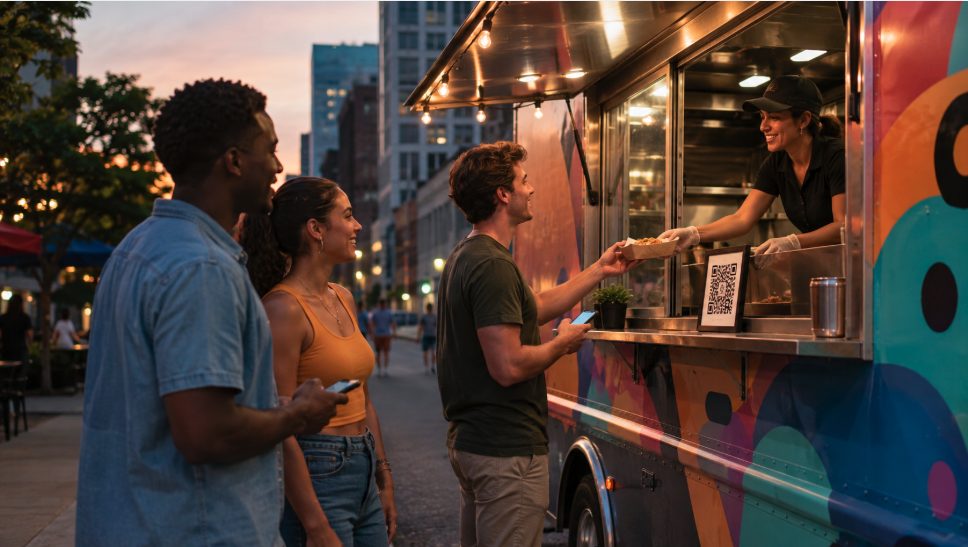
| QR ordering | Breweries, private lots, office parks, and events where customers are already on site | Wrong location or wrong hours create bad pickup experiences. |
| Marketplace delivery | Discovery and delivery demand near a fixed pickup address | Marketplace commissions and address rules can erase margin. |
Square's restaurant online ordering page, for example, emphasizes direct pickup and delivery without marketplace commissions and says the profile can be launched with any Square plan. Square's broader online-store pricing page lists plan tiers by location, with a free tier and paid Plus and Premium tiers. Those are useful facts if you already run Square, but the right buyer question is still operational: will the order land where your staff already works?
What changes for food trucks
A restaurant's address does not move. A truck's does. That one difference changes almost every online-ordering choice. The system has to make location, hours, pickup instructions, sold-out items, and order throttling obvious. If a customer orders from yesterday's brewery page while the truck is at a lunch lot across town, the software did not solve your problem; it created a refund.
- Location-aware menu links: Each scheduled stop should have the right pickup address and hours.
- Instant pause: Staff need to pause online orders during a rush, low inventory, bad weather, or generator issue.
- Prep-time throttling: The system should stretch pickup times when order volume spikes.
- Ticket routing: Orders should print or appear where cooks can actually see them.
- Clear pickup lane: Digital customers need a labeled spot that does not block the walk-up line.
Features worth paying for
Do not buy online ordering because the demo page looks polished. Buy it because it handles the rough parts of truck service. The most valuable features are order throttling, menu availability, QR links, POS sync, customer notifications, refund controls, and a clean way to export customer data for owned marketing.
For trucks that work events, timed preorder windows matter more than delivery. For trucks parked at a regular lunch spot, pickup ordering can speed the line. For trucks trying to grow discovery, a marketplace may still be useful, but that belongs in a separate margin test, not as the default answer.
Fees and margin checks
Separate three things when comparing fees: monthly software cost, payment processing, and marketplace commission. Direct ordering usually avoids marketplace commission, but it still has card processing and sometimes software subscription costs. Marketplace orders may bring new demand, but they can take a much larger percentage of the ticket than direct ordering. The margin test is simple: compare the fee against your food cost, labor, packaging, and the chance that the order would have happened anyway.
If your food truck already sells out at events, online ordering should reduce wait time or capture preorders, not add low-margin third-party orders you cannot fulfill. If your truck has slow weekdays at a stable location, online ordering can be a demand tool.
A low-risk rollout plan
- Start with pickup only. Test direct pickup ordering at one regular location before adding delivery.
- Limit the menu. Put only high-margin, travel-stable items online first.
- Set conservative prep times. It is better to quote 20 minutes and beat it than promise 8 and create a crowd.
- Add a pickup shelf or sign. Digital orders need a physical handoff point.
- Review refunds weekly. Refund reasons reveal whether the issue is location, inventory, timing, or customer confusion.
Frequently asked questions
What is the best online ordering setup for a food truck?
Start with direct pickup ordering connected to your POS or website, then add marketplace delivery only when you have a fixed pickup location and enough margin to absorb the fees.
Should a food truck use QR code ordering?
Yes at stable stops like breweries, office parks, and private lots. The QR page must match the current location, hours, and menu availability.
Does online ordering replace the walk-up line?
No. It should create a second pickup lane and reduce congestion. If it slows walk-up service, pause or narrow the online menu.
Keep the software tied to your real operating location.
StreetLegal helps food truck operators organize permits, commissary agreements, and location-specific paperwork so online ordering and delivery listings do not get blocked by address or document mismatches.
Answers to the most common permit questions — costs, timelines, commissary rules, and more.
Find city-level permit guides for every state we cover — compare costs and requirements.
More from the blog
Jefferson County, MO Food Truck Permit Guide
Complete guide to food truck permits, fees, and requirements in Jefferson County, MO.
City GuidesSt. Charles County, MO Food Truck Permit Guide
Complete guide to food truck permits, fees, and requirements in St. Charles County, MO.
City GuidesSt. Louis County, MO Food Truck Permit Guide
Complete guide to food truck permits, fees, and requirements in St. Louis County, MO.
Buyer's GuideFood Truck POS Systems 2026: Square, Toast, Clover & Avocado
Compare 2026 food truck POS systems by pricing, hardware costs, offline mode, and contract terms for Square, Toast, Clover, and Avocado.