· 7 min read · StreetLegal Team
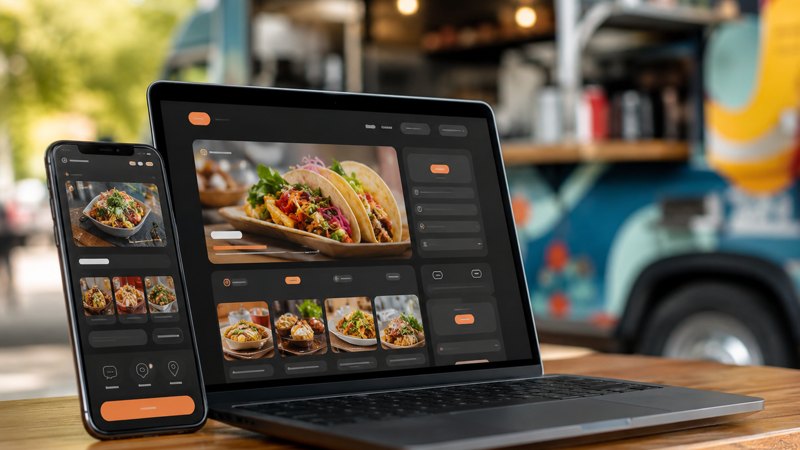
Food Truck Website Builder Checklist for 2026
Updated July 7, 2026
A food truck website does not need to be huge. It needs to answer the questions customers, event planners, and health departments keep asking: where are you, what do you serve, how do I order, and can I trust that this business is real?
The core pages every food truck site needs
- Home page with the truck name, cuisine, service area, strongest food photo, current call to action, and links to order or book catering.
- Menu page with prices, modifiers, allergen notes where practical, and a last-updated line so customers know it is current.
- Schedule or locations page with today, this week, recurring stops, private-event blackout notes, and a map or ordering link when available.
- Catering or events page with party-size range, service area, minimums, lead time, sample packages, and a short inquiry form.
- Contact page with phone, email, social links, Google Business Profile consistency, and a simple response-time expectation.
Design it mobile-first, not desktop-first
- Most customers open the site from a parking lot, a Google Maps result, or an Instagram bio. Put the menu, schedule, and order button above the first long paragraph. Keep tap targets large, compress images, avoid popups, and make the phone number clickable.
- On desktop, the site can feel richer. On mobile, the site has one job: make the next action obvious without forcing a customer to pinch, zoom, or hunt.
The local SEO basics that actually matter
- Use the exact same truck name, service area, phone number, and website URL on the website and Google Business Profile. Add page titles that include the cuisine and city, not just the brand name. Link the site from Instagram, Facebook, TikTok, Square, Toast, and every event listing.
- A short page for catering in your main service city is usually more valuable than five generic blog posts. A planner searching “taco truck catering in Raleigh” needs a page that says you do exactly that.
The operator-maintenance checklist
Update menu prices monthly. Remove old locations immediately. Add seasonal catering notes before the busy season, not after. Keep a shared folder of approved food photos so whoever updates the site does not reuse blurry social crops. Test the contact form after every major change.
Where StreetLegal fits
StreetLegal is built around the pages food trucks actually need: menu, schedule, booking, and compliance-ready business information. The point is not to make operators become web designers. The point is to get a credible, searchable site live while the owner stays focused on service.
Frequently asked questions
Do I need a separate website if I have Instagram?
Yes. Social profiles are useful, but a website is the stable page Google, event planners, and customers can find and reference.
Should I update this yearly?
Yes. Costs, technology, permit requirements, and customer behavior change; review the page at least once per year.
Where does StreetLegal help?
StreetLegal helps operators organize permits, compliance documents, city requirements, and practical launch assets in one place.
Keep permits, costs, and launch steps in one place.
StreetLegal helps food truck operators turn city requirements, commissary paperwork, renewal dates, and launch checklists into one practical operating system.
Answers to the most common permit questions — costs, timelines, commissary rules, and more.
Find city-level permit guides for every state we cover — compare costs and requirements.
More from the blog
Massapequa Park, NY Food Truck Permit Guide
Complete guide to food truck permits, fees, and requirements in Massapequa Park, NY.
City GuidesPort St. Lucie, FL Food Truck Permit Guide
Complete guide to food truck permits, fees, and requirements in Port St. Lucie, FL.
City GuidesLeague City Food Truck Permit Guide 2026 | StreetLegal
League City, TX food truck permit guide 2026: local licensing, health permit planning, commissary requirements, inspections, costs, timeline, and launch checklist.
City GuidesHonolulu Food Truck Permit Guide 2026 | StreetLegal
Honolulu, HI food truck permit guide 2026: city and state licensing, health permit planning, commissary requirements, inspections, costs, and launch checklist.