· 7 min read · StreetLegal Team
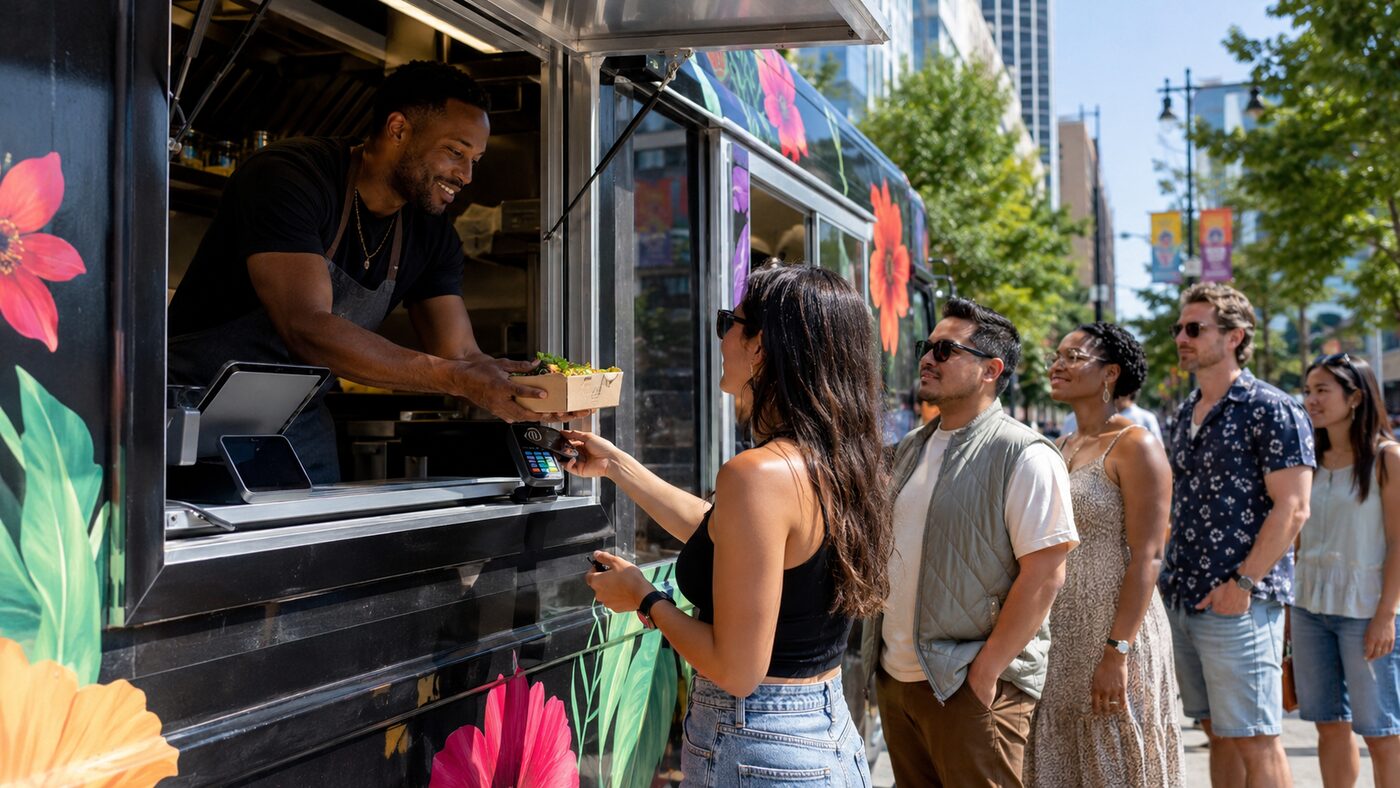
Contactless Payment Systems for Food Trucks (2026): What to Know
Updated August 4, 2026
A food truck checkout has no room for friction. Customers are standing outside, the line is visible, weather matters, and every slow payment blocks the service window. Contactless payments are now table stakes, but the real decision is how to build a payment setup that still works when the reader battery dies, cell service drops, or a festival crowd arrives all at once.
Main contactless options
Food trucks usually choose from three practical setups: a small Bluetooth reader paired to a phone or tablet, a handheld restaurant POS device, or phone-based Tap to Pay. Square's contactless and chip reader accepts chip cards, contactless cards, Apple Pay, and Google Pay. Stripe Terminal's Tap to Pay product lets compatible iPhone and Android devices accept contactless cards and digital wallets without extra hardware. Apple's own Tap to Pay on iPhone documentation says payment apps can accept contactless cards, Apple Pay, Apple Watch, and other digital wallets directly on iPhone without extra terminals or hardware.
| Setup | Best fit | Watchout |
|---|---|---|
| Bluetooth card reader | Most one-truck operators that want a low-cost, familiar setup. | Keep it charged and paired; carry a second reader for busy events. |
| Handheld POS terminal | Trucks with staff, modifiers, tips, order routing, or restaurant POS workflows. | Higher hardware cost and more setup, but cleaner operations. |
| Tap to Pay on phone | Backup checkout, pop-ups, carts, or owners who want fewer devices. | Confirm compatible phone, provider support, transaction flow, and battery plan. |
Fees and hardware signals
Do not compare only the reader price. Compare the whole payment path: in-person card fee, online/preorder fee, manually keyed fee, chargeback support, deposits, offline-payment rules, hardware replacement, and whether the same system also handles taxes, tips, modifiers, and reporting.
Square currently publishes its contactless and chip reader at $59, and its help center lists tap, dip, or swipe payments on Square Free at 2.6% + 15 cents. Stripe Terminal's Tap to Pay page emphasizes no extra hardware for compatible devices, but your actual pricing depends on your Stripe setup and should be checked in Stripe's current pricing before launch.
Offline payments and weak signal
Food trucks need to think harder about connectivity than restaurants. A brewery lot, park, stadium edge, or rural festival can have weak LTE even when your phone shows bars. Square's reader page says offline payments can keep taking payments for up to 24 hours, with terms that apply. That is useful, but it is not magic: offline cards can be declined later, so set a sane transaction limit and reconcile quickly after service.
- Carry a backup network: a second carrier hotspot can matter more than a second tablet.
- Set offline limits: keep risk lower for festivals where customers leave before authorization finishes.
- Keep manual entry rare: keyed payments usually cost more and slow the line.
- Charge everything before service: reader, phone, tablet, hotspot, and backup battery.
Checkout workflow for trucks
The best hardware still fails if the service window is confused. Put the payment device where the customer can tap without reaching into the truck. If tips are enabled, make the tip screen quick and readable. If preorders and walk-up orders use the same POS, separate the pickup shelf from the order line so the cashier is not answering every courier question.
A simple setup that works well for many trucks is: one primary POS tablet inside the window, one customer-facing reader outside or at the sill, Tap to Pay enabled on the owner's phone as backup, one charged hotspot, and a written closeout routine for refunds, tips, cash drawer, and settlement.
Frequently asked questions
Should I use Tap to Pay as my only payment device?
It can work for simple trucks, but a dedicated reader is still a safer primary device for busy service because it preserves phone battery and gives staff a consistent checkout spot.
What payments should a food truck accept?
Accept chip cards, contactless cards, Apple Pay, Google Pay, and cash if your market still expects it. For catering, also support invoices or deposits through your website or POS.
What is the biggest contactless-payment mistake?
Having only one working path. Trucks should have at least one backup: second reader, Tap to Pay phone, backup hotspot, or a clear cash fallback.
Payments are part of your launch system, not a last-minute accessory.
StreetLegal helps food truck operators track the permits, insurance, commissary documents, and operating tasks that need to be ready before the first paid service.
Answers to the most common permit questions — costs, timelines, commissary rules, and more.
Find city-level permit guides for every state we cover — compare costs and requirements.
More from the blog
Jefferson County, MO Food Truck Permit Guide
Complete guide to food truck permits, fees, and requirements in Jefferson County, MO.
City GuidesSt. Charles County, MO Food Truck Permit Guide
Complete guide to food truck permits, fees, and requirements in St. Charles County, MO.
City GuidesSt. Louis County, MO Food Truck Permit Guide
Complete guide to food truck permits, fees, and requirements in St. Louis County, MO.
Buyer's GuideFood Truck POS Systems 2026: Square, Toast, Clover & Avocado
Compare 2026 food truck POS systems by pricing, hardware costs, offline mode, and contract terms for Square, Toast, Clover, and Avocado.