· 7 min read · StreetLegal Team
Commissary Kitchen Booking Widgets (2026): Do You Need One on Your Site?
Updated August 1, 2026
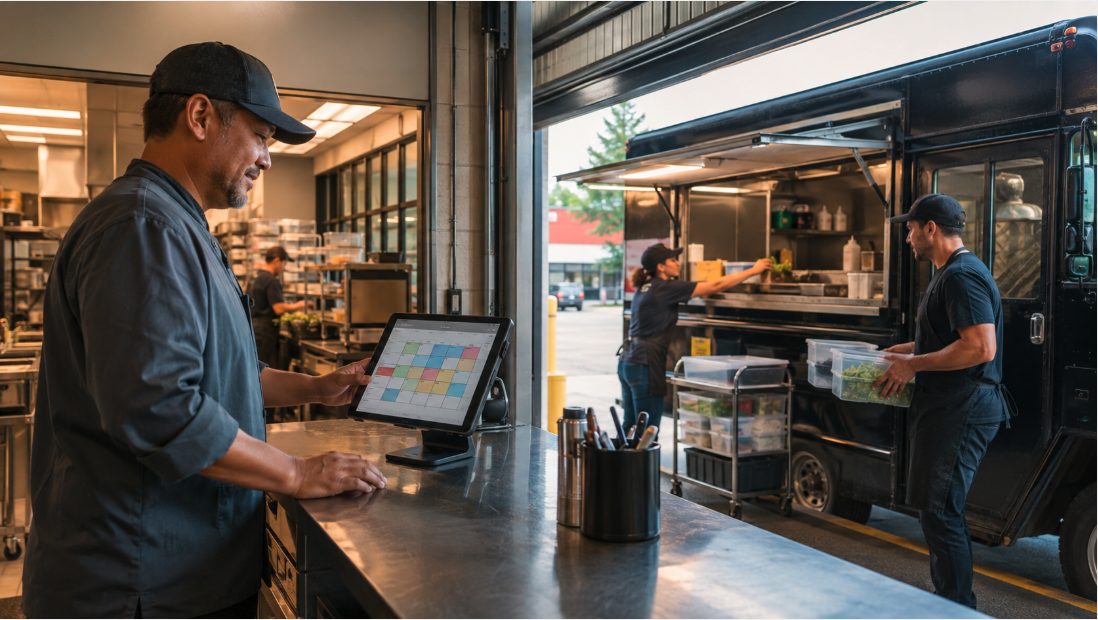
A booking widget can make a commissary kitchen look organized, but it can also create a compliance mess if it lets an unverified operator reserve prep space before the kitchen has checked licensing, insurance, storage, and food-safety needs. The right answer is usually not "open calendar for everyone." It is a staged intake flow: book the tour fast, collect documents early, then release production time only after the operator is approved.
Where booking widgets help
The best use of a scheduling widget on a commissary kitchen website is not instant kitchen access. It is making the first human step easier. A prospect who found you through Google should be able to request a tour, schedule an intake call, or ask about availability without waiting for a back-and-forth email thread.
That matters because commissary prospects are usually comparing several kitchens at once. If your website has no clear next step, they may call the kitchen that lets them pick a tour slot immediately. The widget is not just convenience; it is lead capture.
Where live booking gets risky
Production time is different from a sales call. A commissary kitchen has to protect food safety, cleaning windows, storage capacity, equipment conflicts, and the licenses attached to the facility. Letting anyone reserve a prep station can create problems if the operator does not have the right permit, needs equipment the slot does not include, stores allergens incorrectly, or expects the kitchen address to support a permit application that has not been reviewed.
That is why the booking widget should usually expose low-risk appointments first: tours, onboarding calls, application reviews, and document checks. Actual kitchen shifts should stay behind approval until the kitchen knows what the operator is making and what the health department will expect.
A safer three-step booking flow
| Step | What the website offers | Why it works |
|---|---|---|
| 1. Inquiry | Short form or "book a tour" scheduler | Captures demand without promising production access. |
| 2. Document review | Upload/request license, insurance, menu, storage, and truck-servicing needs | Filters operators before they touch the kitchen calendar. |
| 3. Approved booking | Member-only calendar for prep slots, equipment, storage, or recurring shifts | Protects capacity and keeps the schedule tied to real compliance status. |
For most commissaries, the biggest win is simply separating "I want to see the kitchen" from "I am approved to cook here every Tuesday." Those are different workflows, and the website should treat them that way.
Tool options and real pricing signals
Generic scheduling tools can handle tours and calls. Calendly publishes a free personal plan and a Standard plan listed at $10 per seat per month when billed yearly. Acuity Scheduling publishes paid scheduling plans, including Starter at $16 per month when billed annually and Standard at $27 per month when billed annually. Those tools are useful for meetings, but they are not a complete commissary operating system by themselves.
For production scheduling, look for kitchen-specific controls or build them into your process: member approvals, document status, station type, equipment reservations, storage assignments, recurring shifts, cleaning buffers, cancellation rules, and invoice handoff. If a tool cannot separate an approved member from a new lead, keep production booking manual until it can.
What your intake form should ask
- Business and contact details: legal name, DBA, owner, email, phone, and website/social link.
- Food operation type: food truck, cart, caterer, packaged food, pop-up, baker, or nonprofit.
- Menu and process: what they make, whether they cook raw proteins, whether allergens are involved, and whether hot/cold holding is needed.
- Permit status: health permit, mobile food facility permit, seller's permit, and whether the operator needs the commissary agreement for a new application.
- Insurance: certificate status and additional-insured requirements.
- Kitchen needs: prep table, range, oven, fryer, bakery space, walk-in storage, dry storage, potable water, gray-water disposal, truck parking, and recurring schedule.
The form should make clear that submitting a request does not guarantee access. That one sentence prevents the most common misunderstanding: a prospect thinks a calendar confirmation means the kitchen has accepted them as a permitted member.
Frequently asked questions
Should a commissary kitchen put live booking on its website?
Yes for tours and intake calls. For actual kitchen time, use live booking only after the operator has been approved and the kitchen knows the required equipment, storage, permit, and insurance details.
Can a Calendly-style widget handle commissary bookings?
It can handle calls and tours. It is usually too thin for regulated production scheduling unless you pair it with a document-review workflow and a member-only calendar.
What is the first widget a commissary should add?
A tour or intake-call scheduler, plus a short form that captures operation type, permit status, menu, storage needs, and truck-servicing needs.
Make booking easier without weakening your compliance process.
StreetLegal helps food truck operators keep permits, commissary agreements, insurance, and renewal records organized so kitchens can review the right documents before approving production access.
Answers to the most common permit questions — costs, timelines, commissary rules, and more.
Find city-level permit guides for every state we cover — compare costs and requirements.
More from the blog
Jefferson County, MO Food Truck Permit Guide
Complete guide to food truck permits, fees, and requirements in Jefferson County, MO.
City GuidesSt. Charles County, MO Food Truck Permit Guide
Complete guide to food truck permits, fees, and requirements in St. Charles County, MO.
City GuidesSt. Louis County, MO Food Truck Permit Guide
Complete guide to food truck permits, fees, and requirements in St. Louis County, MO.
Buyer's GuideFood Truck POS Systems 2026: Square, Toast, Clover & Avocado
Compare 2026 food truck POS systems by pricing, hardware costs, offline mode, and contract terms for Square, Toast, Clover, and Avocado.